How to Log In
Two Interfaces
Section titled “Two Interfaces”Links to openBIS of your lab here.
- ELN User Interface (ELN UI): Main interface for managing your data
- Admin Interface (Admin UI): Interface for set up of meta data structure (only for Instance Admins can edit here)
Login instructions for ELN UI (analog for Admin UI)
Section titled “Login instructions for ELN UI (analog for Admin UI)”Open the webpage of your instance and follow these steps:
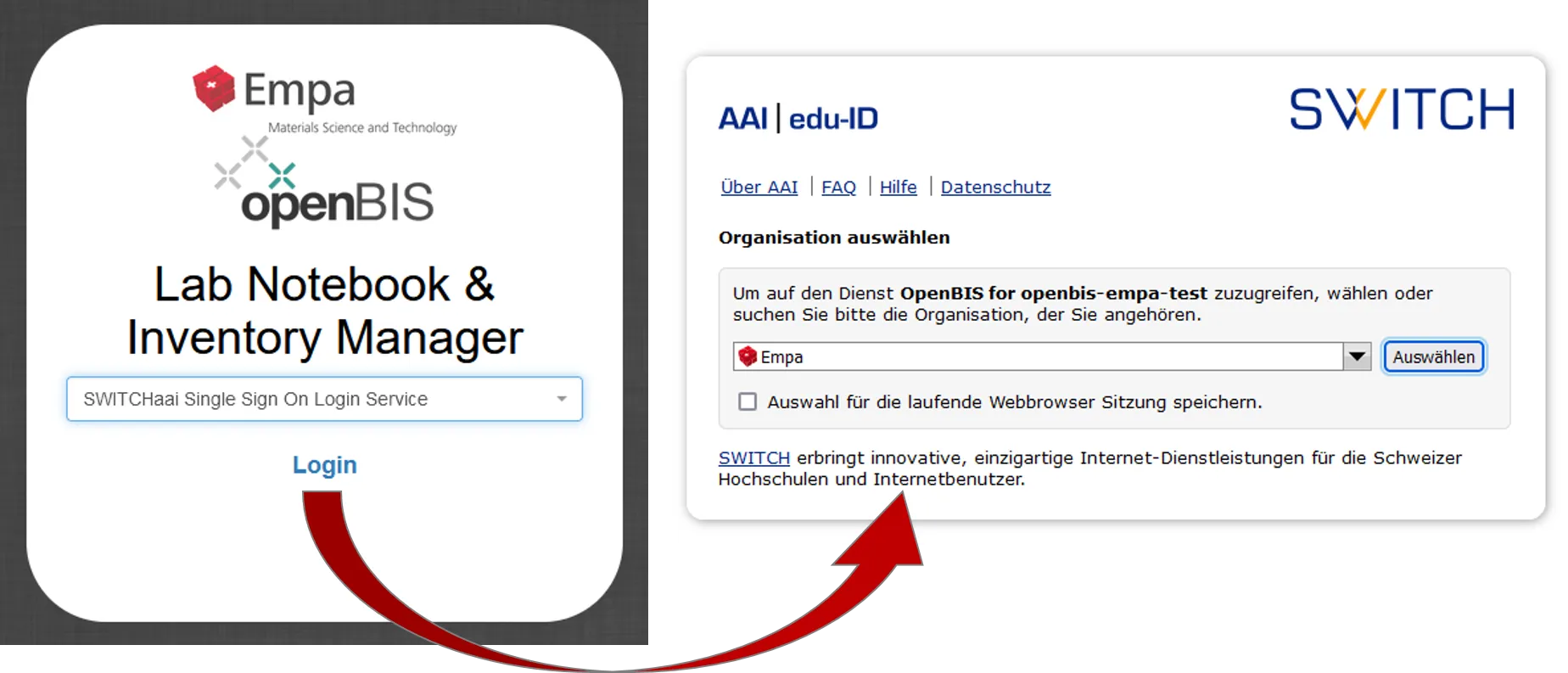
- Click on
Login(left on the picture below) - You will be forwarded to a page, where you need to choose
Empa(right on on picture below) - On the next page you need to enter your Empa credentials, you will stay logged in as long as the browser window with openBIS stays open (login process will change in May and we try to improve this)